
Learn CSS Variables and the Calc Function
Make Your Stylesheets Flexible and Dynamic
Hi everyone, Marius here from Learndev! Today, I want to dive into a powerful feature of CSS that can make your stylesheets much more flexible and maintainable: CSS variables. I’ll also introduce you to the calc function, which allows for dynamic calculations right within CSS. These tools are perfect for creating consistent themes and more efficient styles.
What are CSS Variables?
CSS variables allow you to define values once and reuse them throughout your stylesheet. This keeps your code cleaner and easier to manage. Imagine being able to create a dark mode for your website with just a few changes—CSS variables make this simple and efficient.
Setup the Page
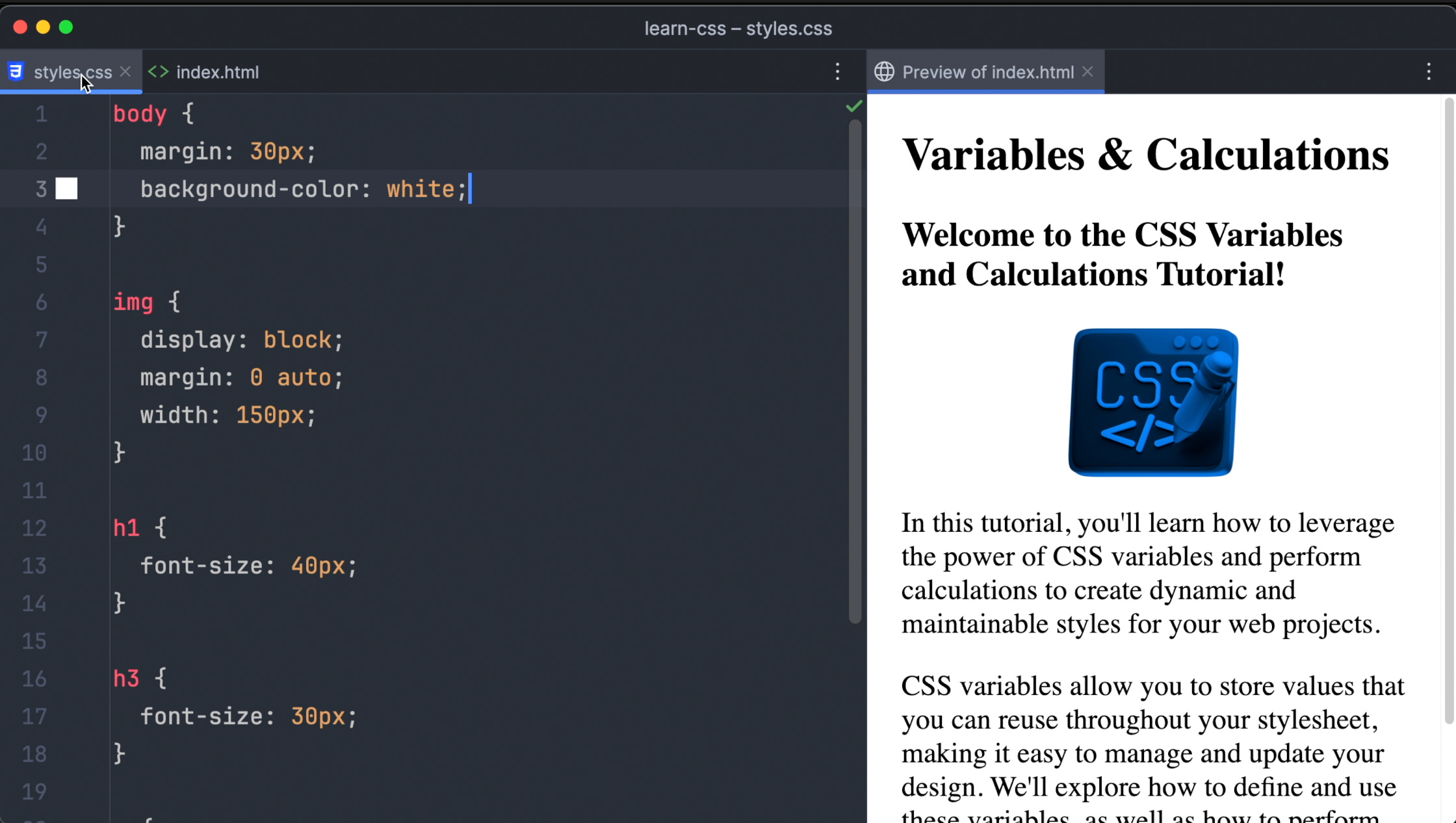
Let's start with a basic HTML page. It has two different headings, an image, and two text paragraphs. I’ve already written some CSS code to set up the basic styling of the page. Now, we'll use CSS variables to replace the absolute values in our CSS code.
Defining Variables Globally
To define our variables globally, we use the :root pseudo-class. This way, our variables can be accessed from anywhere in our stylesheet.
Here's how we define our first variable for the font size of the h1 heading:
:root {
  --h1-font-size: 50px;
}
We use double dashes (--) followed by the variable name. Let’s call it --h1-font-size and set it to 50 pixels.
Applying CSS Variables
To apply these variables, we use the var function. Here’s how to apply our newly created variable to the h1 selector:
h1 {
  font-size: var(--h1-font-size);
}
When you check your browser, you’ll see that the h1 heading is now very large.
Creating More Variables
We had so much fun with our first variable that we’ll define another one right away! Let's create a variable for the h3 font size, setting it to 40 pixels, and apply it:
:root {
  --h3-font-size: 40px;
}

h3 {
  font-size: var(--h3-font-size);
}
Now, if you look at your browser again, you’ll see the size of the h3 heading has changed.
Variables for Different Elements
Next, we’ll define variables for the body font size and the width of the image:
:root {
  --body-font-size: 18px;
  --featured-image-width: 300px;
}

body {
  font-size: var(--body-font-size);
}

img {
  width: var(--featured-image-width);
}
Defining Colors as Variables
We can also define colors as variables. Let's create variables for the page background and text color:
:root {
  --page-background: black;
  --text-color: white;
}

body {
  background-color: var(--page-background);
  color: var(--text-color);
}
Building a Basic Darkmode with Variables
To switch between light and dark modes, we reset the background and text colors:
:root {
  --page-background: white;
  --text-color: black;
}

.dark-mode {
  --page-background: black;
  --text-color: white;
}
To enable dark mode, just add the dark-mode class to the body element. Removing the class will switch back to light mode.
Using the Calc Function
Next, let's explore how to perform calculations in CSS using the calc function. First, we create a new variable for the base font size:
:root {
  --base-font-size: 18px;
}

body {
  font-size: var(--base-font-size);
}
Now, we can use calc to calculate the other font sizes based on this variable:
h1 {
  font-size: calc(2.5 * var(--base-font-size));
}

h3 {
  font-size: calc(1.8 * var(--base-font-size));
}
Playing around with the base font size in your browser will show how all other font sizes change accordingly.
Conclusion
And that’s a wrap for this tutorial! I hope you enjoyed learning about CSS variables and the calc function. They’re incredibly powerful tools for making your stylesheets more flexible and easier to maintain.
Thank you for reading Have a great day and happy learning!